
This feature allows you to track changes to Document Properties.
Note: This is a Version 8 Feature and requires the purchase of the MaxSecurity Module. For information on obtaining this or any other feature, please contact the Sales Department
From any screen of CollectMax, click Definitions, Document, Master Documents
Select a Document from the Master Document Screen.

Click the  button to display the Document Properties.
Make a change to any document property on an tab and the change will be recorded on the Audit Tab when saved.
Click the  to display a list of changes to this document's properties.
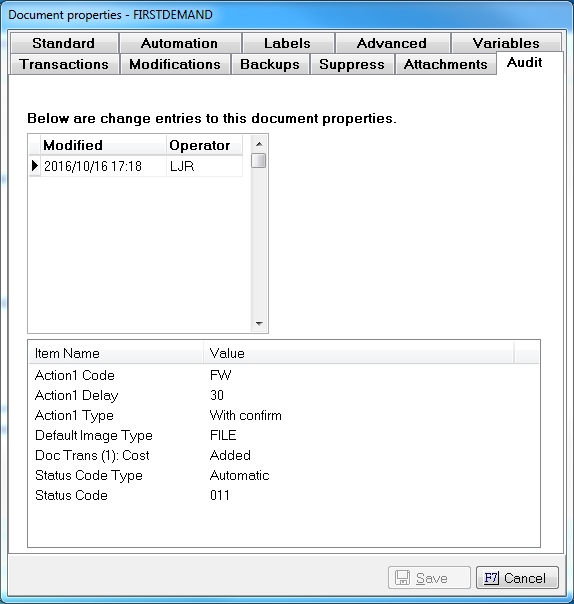
Select a modification date and the changes made to the properties will be listed at the bottom.
Note: If an operator changes a field from one value and back to the original value and saves. The value will still appear in the list of changes although it remains the same value as previous. JST recommends looking at previous modification dates to see when this option was set. However, tracking will only begin when Version 8 is installed.